
Processes
The Netgrif Platform uses the Netgrif Application Engine to create, manage and execute workflows. Each workflow instance represents a business process that follows a defined sequence of steps and rules (implemented in the PetriFlow language). A Process controls and organizes the workflow by defining its structure, tasks, transitions and roles. Processes serve as templates that can be instantiated multiple times to create individual workflow instances (Cases).
To view your processes, click Apps in the top navigation menu. Then, in the left side menu, click Processes. Here you can see all processes deployed as part of the application package, as well as default system processes such as filters and preference items.
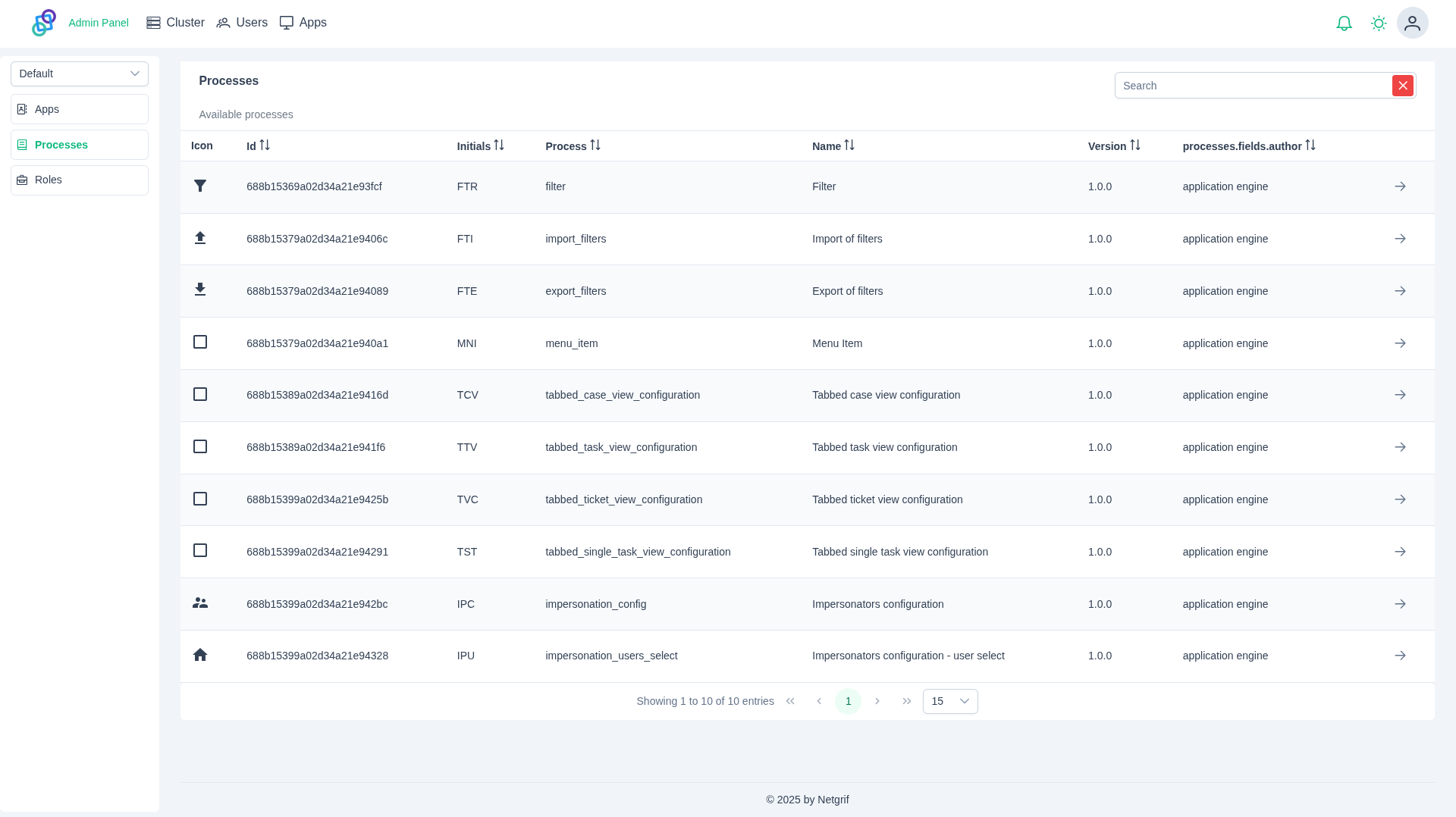
The section above displays key process information:
- Icon - Visual representation of the process
- ID - Unique identifier of the process
- Initials - Abbreviated form of the process name
- Process - Human-readable string identifier
- Name - Full display name of the process
- Version - Version number of the process
- Author - Creator of the process
You enter a process detail view by clicking in the table entry.
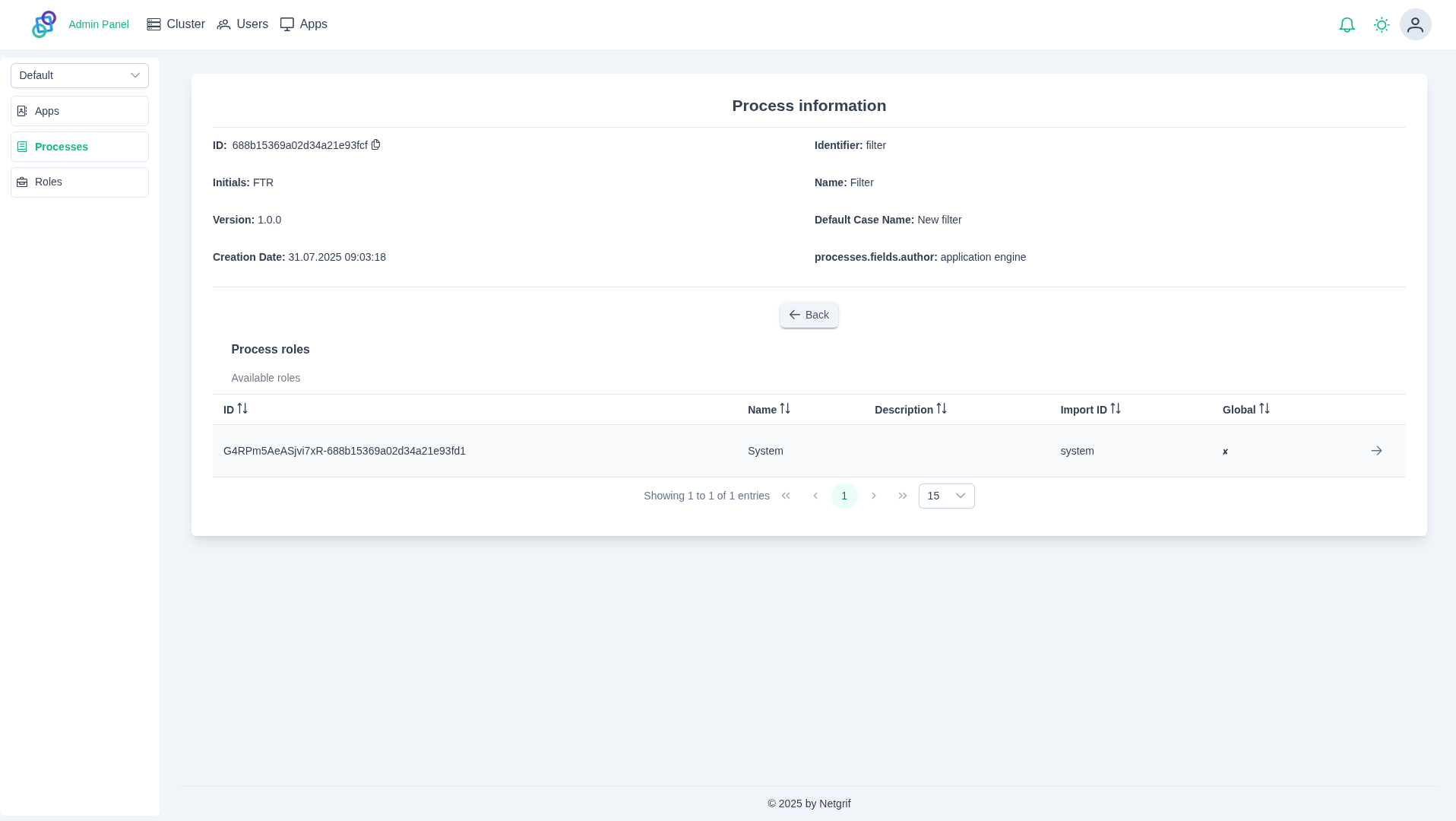
In the detail view, you can see the full overview of the deployed process. In the Process Roles section, you can view all roles defined for the current process instance. By clicking the in the table entry, you will be taken to the process role detail view.